
Download Convert Direct – Free Online Video Converter & Downloader
Overview
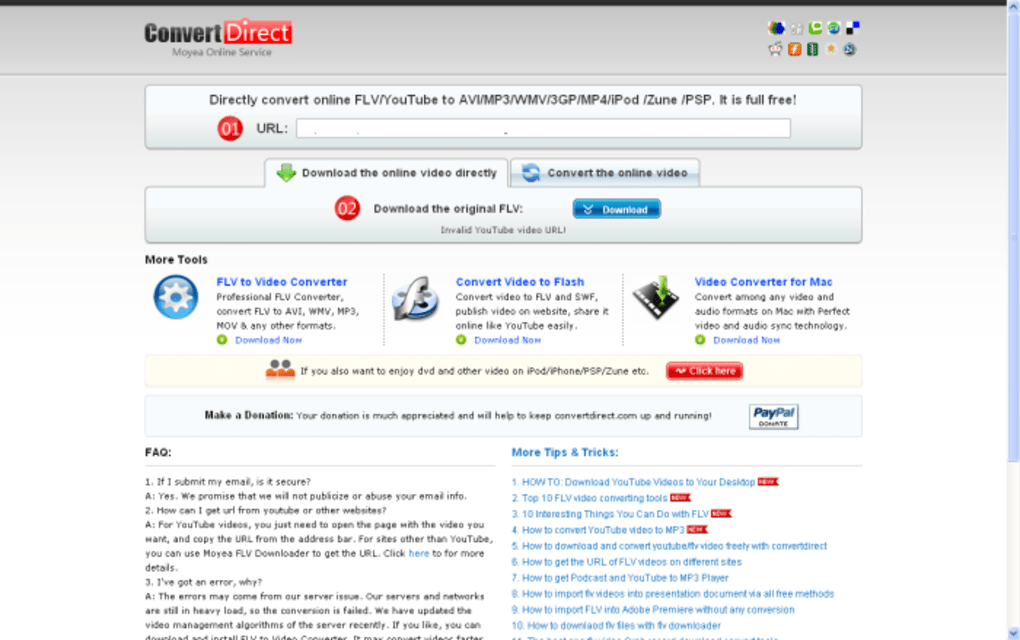
Convert Direct promises a simple, no‑cost solution for anyone who needs to grab a video from YouTube and turn it into a more convenient format. The service is entirely web‑based, meaning you never have to install a bulky program on your computer. In theory, the workflow is as straightforward as it gets: copy a YouTube URL, paste it into the Convert Direct box, and choose whether you want the original .FLV file or a converted version such as .MP4, .AVI, or an audio‑only .MP3.
If you opt for conversion, the site asks for an e‑mail address so it can send you a download link once the process finishes. While the idea sounds attractive for casual users, real‑world testing reveals a number of shortcomings. Across multiple browsers, operating systems, and network conditions, the tool frequently fails to retrieve or convert the requested video.
Even when it does work, the lack of configuration options—such as bitrate control, subtitle support, or batch processing—makes it feel more like a novelty than a robust utility. If you’re looking for a reliable, feature‑rich converter, you may need to explore alternatives. However, for those who need a quick, one‑off conversion and are willing to accept occasional hiccups, Convert Direct still offers a free, ad‑supported entry point.
Key Features
- Free, browser‑based video download and conversion.
- Supports direct download of YouTube videos in the original
.FLVformat. - One‑click conversion to popular video containers:
.MP4,.AVI,.WMV, and more. - Audio‑only output options, including
.MP3and.AAC. - Email delivery of converted files – no need to stay on the page while the conversion runs.
- Minimalist user interface that works on any modern browser (Chrome, Firefox, Edge, Safari).
- No registration or software installation required.
Installation & Usage Instructions
Step‑by‑Step Guide
Even though Convert Direct is a web service, following a clear workflow helps avoid the most common pitfalls. Below is a detailed walkthrough that should work on Windows, macOS, Linux, Android, and iOS devices:
- Open your preferred browser. Convert Direct works best in the latest versions of Chrome, Firefox, Edge, or Safari. Disable any aggressive ad‑blockers for the site, as they may interfere with the download button.
- Navigate to the Convert Direct homepage. The URL is typically something like
https://www.convertdirect.com. Make sure you are on the official site to avoid phishing scams. - Copy the YouTube video URL. Go to YouTube, find the video you want, and copy the full address from the address bar (e.g.,
https://www.youtube.com/watch?v=abcd1234). - Paste the URL into the input field. The field is clearly labeled “Enter YouTube URL.” Paste the link and click the “Analyze” or “Fetch” button.
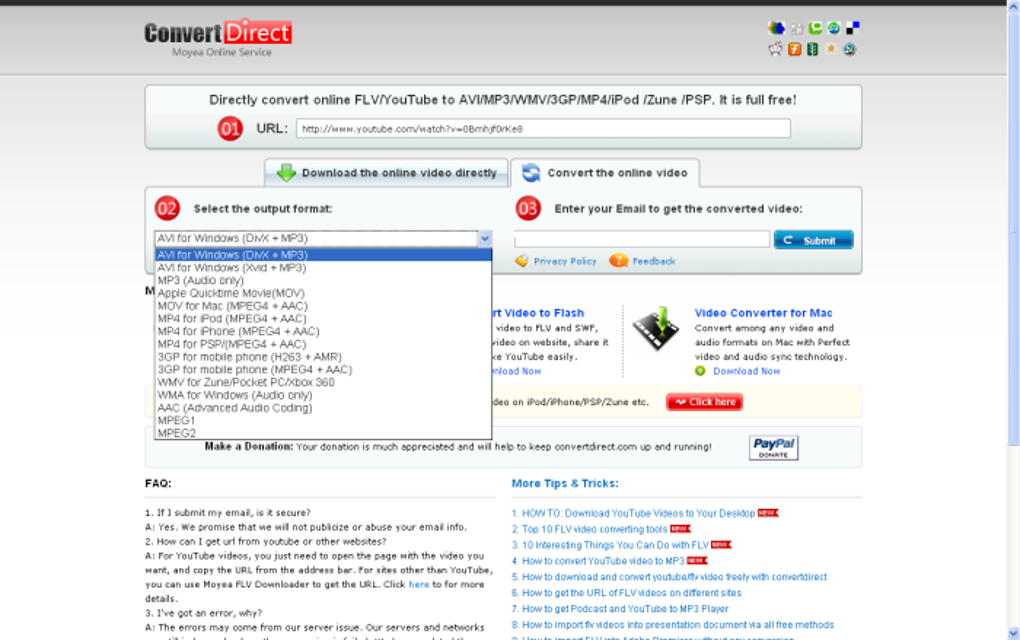
- Select your desired output. Two main options appear:
- Download as .FLV – the original format from YouTube.
- Convert to another format – a dropdown lists
.MP4,.AVI,.WMV,.MP3, etc.
- If converting, provide an e‑mail address. The service will send a download link once the conversion finishes. Use a valid address you can access quickly.
- Wait for processing. Conversion times vary based on video length and server load. Typically, short clips (<5 minutes) finish within 1–2 minutes.
- Download the file. For direct .FLV downloads, a button appears instantly. For converted files, check your inbox, click the link, and save the file to your device.
Troubleshooting tips: If the service reports “Video not found” or fails to start conversion, double‑check that the YouTube link is public (not private or age‑restricted). Also, clear your browser cache or try a different browser. Because Convert Direct does not offer a desktop client, any failure is usually tied to the web environment rather than your operating system.
Compatibility & System Requirements
Since Convert Direct runs entirely in a web browser, it is compatible with virtually every modern operating system that can run a standards‑compliant browser. The service does not require any special plugins, Java, or Flash. Below is a quick compatibility matrix:
| Operating System | Supported Browsers | Notes |
|---|---|---|
| Windows 10 / 11 | Chrome, Edge, Firefox, Safari (via Apple WebKit) | Full functionality; disable strict ad‑blockers. |
| macOS Monterey / Ventura | Safari, Chrome, Firefox | Works the same as on Windows; no extra extensions needed. |
| Linux (Ubuntu, Fedora, etc.) | Chrome, Firefox | Ensure you have a recent browser version (v90+). |
| Android 9+ (mobile browsers) | Chrome, Firefox, Samsung Internet | Interface scales for touch; e‑mail link may open in the default mail app. |
| iOS 14+ (iPhone / iPad) | Safari, Chrome | Conversion works, but large files may be limited by mobile data policies. |
Because the service is cloud‑based, there are no hardware constraints beyond an internet connection and enough storage to hold the final file. Users should have at least 500 MB of free space for typical video downloads; high‑definition files may require a few gigabytes.
Pros and Cons
Advantages
- Completely free – no hidden subscription fees.
- No software installation; works directly from the browser.
- Supports a variety of output formats, including audio‑only options.
- Simple, one‑page interface that is easy for beginners.
- Email delivery of converted files eliminates the need to stay on the page.
Disadvantages
- Frequent failures to fetch or convert videos, especially on high‑traffic days.
- Lacks advanced settings such as bitrate control, resolution selection, or subtitle extraction.
- Conversion requires an e‑mail address, which raises privacy concerns for some users.
- No batch processing – you can only convert one video at a time.
- Advertising can be intrusive, and the site may redirect to third‑party pages.
Frequently Asked Questions
Is Convert Direct really free?
Yes, the core service – downloading a YouTube video as .FLV or converting it to another format – is offered at no cost. The site may display ads to cover operating expenses.
Do I need to create an account?
No account is required. The only personal information you provide is an e‑mail address if you choose to receive a converted file.
Why does the conversion sometimes fail?
Failures can stem from several factors: YouTube may block the request for certain videos, the server could be overloaded, or ad‑block extensions might prevent the download link from being generated. Trying a different browser or clearing cache often helps.
Can I convert a video to a specific resolution?
Currently, Convert Direct does not offer resolution or bitrate settings. The output uses the source video’s default quality for the selected format.
Is my e‑mail address safe?
The service states that it only uses the e‑mail address to send the download link and does not share it with third parties. However, because it’s a free platform supported by ads, users should consider using a disposable e‑mail if privacy is a concern.
Final Verdict & Call to Action
Convert Direct delivers on the promise of a free, web‑based video downloader and converter, but its reliability is inconsistent. For users who need an occasional quick conversion and are comfortable with a simple, ad‑supported interface, it can be a handy stop‑gap. Power users, content creators, or anyone who requires batch processing, custom encoding settings, or guaranteed uptime should explore more robust alternatives such as HandBrake, Freemake Video Converter, or paid cloud services.
If you decide to give Convert Direct a try, remember to:
- Use the latest browser version.
- Disable aggressive ad‑blocking extensions for the site.
- Have a valid e‑mail address ready for conversion results.
Ready to test it yourself? Visit the official Convert Direct page, paste a YouTube link, and see whether the service meets your immediate needs. For a more dependable workflow, keep a desktop converter on hand.



.png)



